



Squarespace can carry a credible website for a solo therapy practice. It gives you control of fonts, colors, buttons, page layouts, the mobile layout, and search settings. The brand itself lives in the answers a prospective client needs before reaching out, and those answers come from you.
When a Squarespace site feels generic, the fix usually starts with the words. Positioning and message strategy decides what each page says, and Squarespace's settings carry it across the site. This guide covers both, from site styles to search settings, and shows what strong private practice websites on Squarespace have in common.
Is Squarespace Good for a Therapy Practice Website?
It is, for many solo practices with a focused set of services. You can edit pages, fees, and articles yourself. Every current plan includes SSL security, according to Squarespace's plan guide.
On version 7.1, every template shares the same features and style options, according to Squarespace's version guide. You keep the template you started with and shape it through site styles.
Group practices with many clinicians, specialties, or locations face a wider platform question. Our comparison of Squarespace, Wix, and custom sites for private practices covers it. On Wix instead? Our guide to branding a therapy practice on Wix covers that editor.
What Does Branding Mean for a Private Practice?
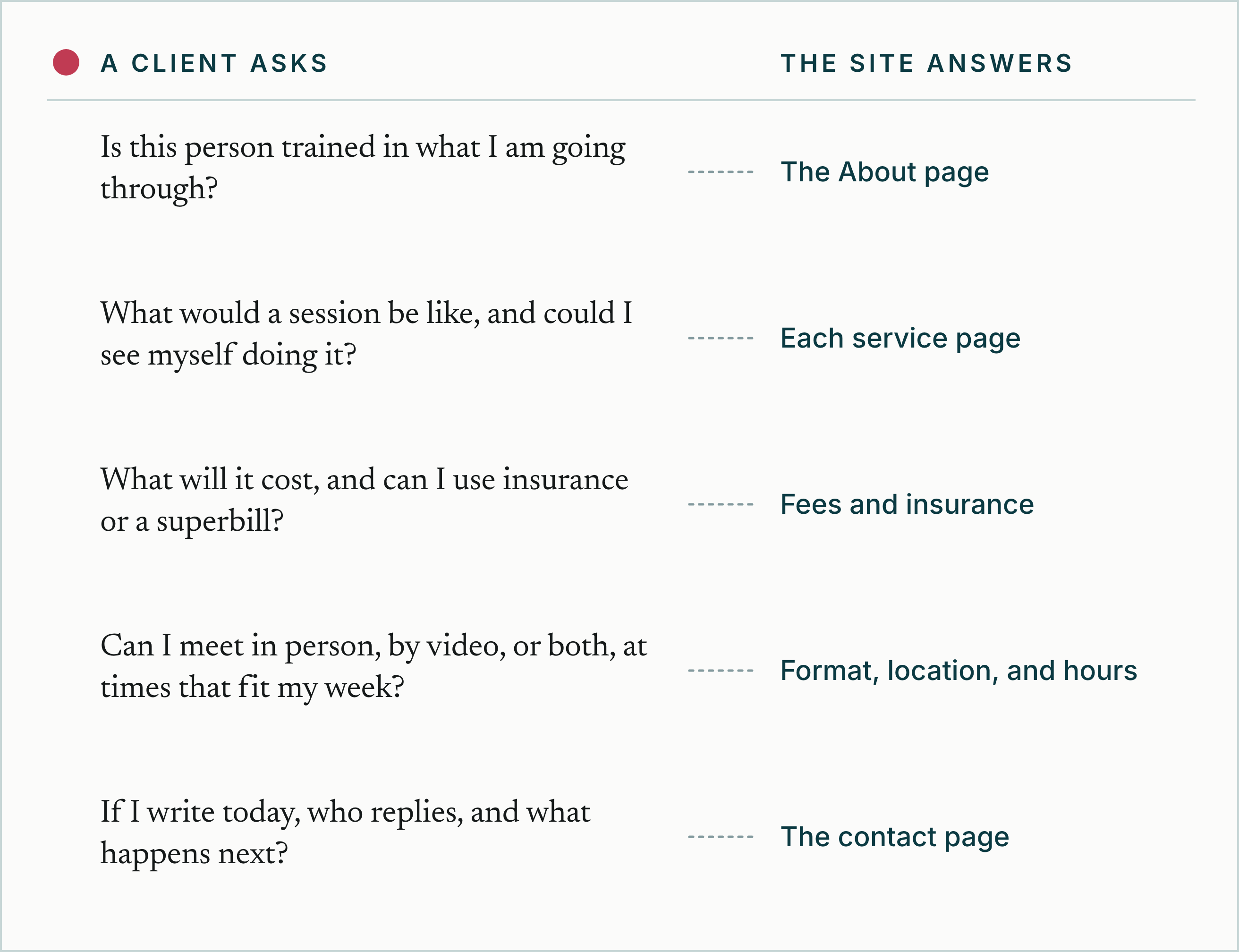
Your logo, fonts, colors, and photographs are the visible layer of the brand. Underneath, a prospective client is working through practical questions:
- Is this person trained in what I am going through?
- What would a session be like, and could I see myself doing it?
- What will it cost, and can I use insurance or a superbill?
- Can I meet in person, by video, or both, at times that fit my week?
- If I write today, who replies, and what happens next?
The brand is how clearly the site answers those questions. Specific answers give the palette and photographs something true to support.
Write the Words Before You Open Site Styles
Fluid Engine places blocks on a grid, and the mobile layout is arranged separately. Placeholder text sets block sizes that real copy then overflows, on desktop and again on mobile.
Draft these first:
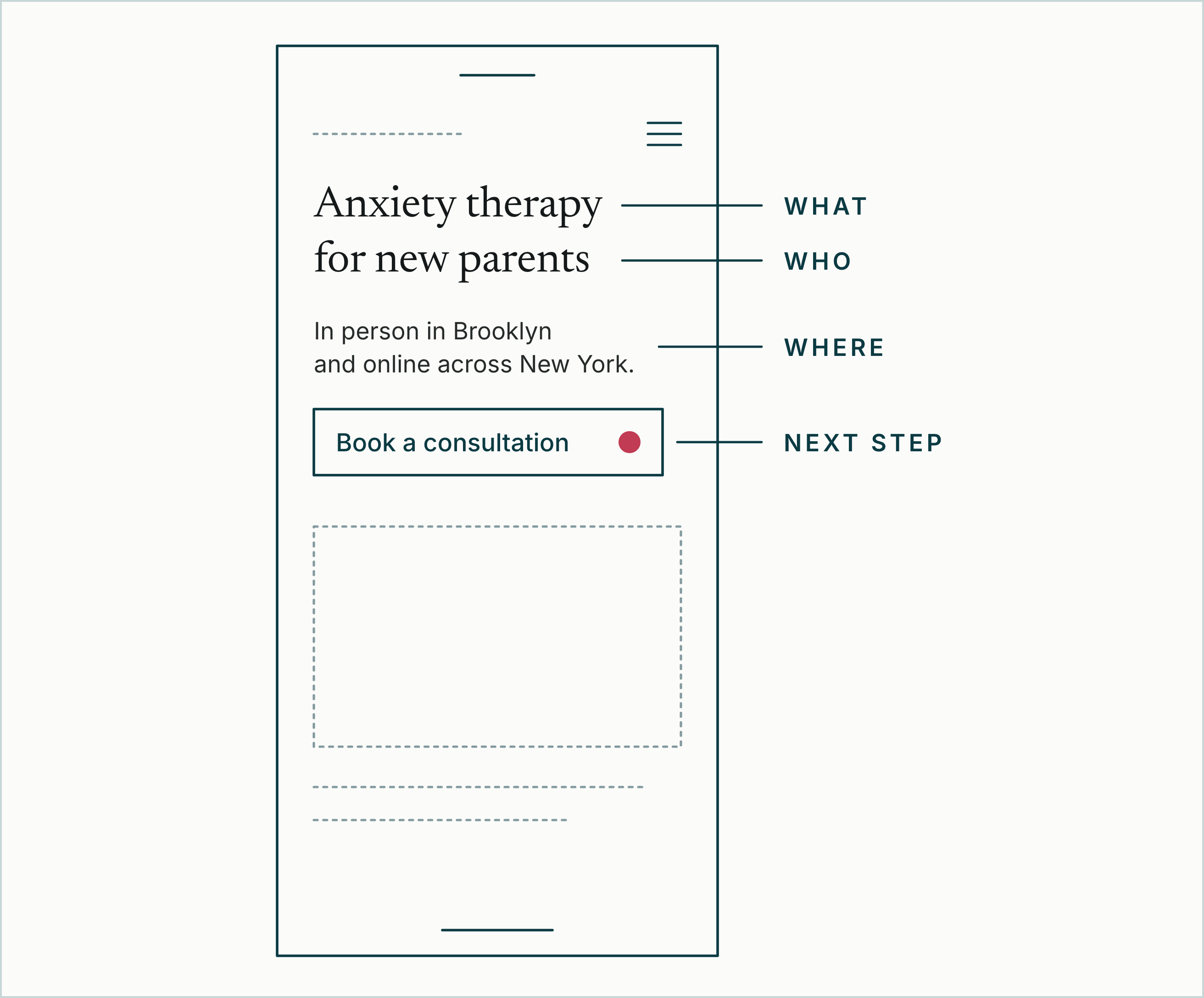
- The first-screen message: who you help, with what, where you see clients, and the next step.
- The case each service page makes.
- The practical details: fees, insurance, format, location, and hours.
- The one action you want a visitor to take.
Credentials show your training, and readers also want to see how it shapes a session. Our list of therapist About page mistakes covers the common gaps.
How Do You Keep a Squarespace Brand Consistent?
Squarespace's site styles set fonts, colors, buttons, forms, spacing, and animations across the site. Choosing a theme there changes fonts, colors, and buttons at once, and each stays adjustable. Give every setting one job.
Fonts: One Heading Scale
A font pack sets headings, paragraphs, buttons, and miscellaneous text, and a base size scales all text together (font guide). Choose one pairing and set heading sizes once.
Text toolbar formatting overrides site styles, and toolbar colors stay put when site styles change (text styling guide). Return one-off edits to the standard formats so site styles carry the look.
Colors: Give Each One a Role
Every palette has five colors and ten color themes for sections (color guide). Pick two or three themes and give each a role: reading, practical details, and the call to action.
Editing a theme changes every section that uses it (section styles guide). Each section's label in the editor names its theme, so one scroll checks a page against your roles.
Sections and Blocks: A Few Patterns, Reused
Fluid Engine is the main editor on version 7.1 (Fluid Engine guide). Settle on a few section patterns: a first screen, a service summary, a fees band, a clinician bio, and a closing call to action.
Save each to your saved sections and build new pages from them. Each saved section is a snapshot, so edits to the original leave copies unchanged. If one holds a form, reconnect the form's storage after adding it.
Buttons: One Style for the Main Action
Squarespace sorts buttons into primary, secondary, and tertiary types (button guide). Use the primary style for the one action you want most, with the same label everywhere, under the 25 characters Squarespace suggests.
Button colors follow each color theme, so check the primary button in every theme you use.
Signs the system has drifted:
- Sizes or colors set by hand in the text toolbar.
- Three labels for one action, such as "Book now", "Get started", and "Contact".
- Fees and insurance worded differently from page to page.
Each pattern has a job in the inquiry path. Our features guide for therapy websites sets those jobs out.
How Should a Squarespace Practice Site Work on a Phone?
Squarespace resizes every site for phones automatically. In Fluid Engine sections, you can also arrange, resize, and hide blocks for mobile while desktop stays as it is (mobile layout guide). Changes to a block's content still apply to both layouts.
Device view gives a general idea of mobile, and Squarespace says it can differ from a real device (device view guide). Check the published site on your own phone:
- Open Layers in mobile view and make sure fees, insurance, location, and the consultation button are all visible.
- Recheck mobile after any desktop addition, as Squarespace recommends.
- Read any text placed over a photo at phone size.
- Tap the main button and finish the booking step. Squarespace leaves embedded code, including its mobile behavior, outside its support.
- Send a test message through the form and confirm it reaches the inbox you check.
Which Squarespace SEO Settings Should a Practice Set?
Squarespace's SEO checklist walks through its search settings, and a practice site leans on these six.
| Setting | Where it lives | What to do |
|---|---|---|
| SEO title | Page settings, SEO tab | Service and place first, practice name last. Keep the page title first in the Pages title format, under SEO Settings. |
| SEO description | Page settings, SEO tab | Who the page serves, the format, and the next step. Squarespace suggests 50 to 300 characters, and search engines cut off around 160. |
| URL slug | Page settings | Plain words, such as /anxiety-therapy. After any change, add a 301 redirect in URL mappings. |
| Alt text | The image block's editor | What the image shows, in plain words. Image blocks have alt text only when you add it. |
| Google Search Console | Analytics, then Search keywords | Connect and verify, then read which searches show the site. Data can take 72 hours. |
| Hide page from search results | Page settings, SEO tab | For thank-you pages and pages meant for current clients. It adds noindex and drops the page from the sitemap. Anyone with the link can still open it. |
On version 7.1, the SEO report tool lists pages missing SEO descriptions and images missing alt text.
These settings give every page a sound footing for search. Relevance comes from the words: the service, the place, and the client language on the page. Squarespace's own checklist says it can't guarantee ranking changes.
Can Squarespace Handle Scheduling and Intake Forms?
Squarespace's scheduling product is Acuity Scheduling, which its help center calls a Squarespace company (Acuity overview). It is billed separately from the website plan, and a scheduling block shows its booking page on your site.
If your EHR has its own booking page, a button or menu link can point to it. Embed code that uses JavaScript or an iframe needs Core or a higher plan (online booking guide).
Forms need more care. By default, a Squarespace form block emails each submission to whoever added the form and stores the sender's details on the site.
Squarespace's guide to Acuity Scheduling and HIPAA names Acuity as the only Squarespace feature currently designed for HIPAA obligations. It says to keep Protected Health Information out of every other part of Squarespace, and its form block guide gives the same answer for forms. Within Acuity, its HIPAA-related features need specific plans and a signed Business Associate Addendum, and each practice stays responsible for its setup.
For clinical intake, link to the secure intake forms or client portal in your EHR. Keep the website form for a first message, with a line above it asking visitors to save health details for the secure intake.
Which Squarespace Plan Does a Practice Site Need?
Squarespace bills each site on its own plan, monthly or annually, and annual billing lowers the average monthly cost (plan guide). As of October 2026, its pricing page lists US plans from $19 to $99 a month billed annually, or $25 to $139 billed monthly. Prices vary by billing country.
Code injection, and code blocks that run JavaScript or iframes, need Core or a higher plan (premium features guide). Core is listed at $29 a month billed annually, or $39 monthly. If a booking widget or analytics tag came as embed code, check the plan first.
Moving down to Basic switches code injection off and stops premium blocks showing on the live site. If a booking widget stopped working after a plan change, start there.
How Do You Check Accessibility on a Squarespace Site?
Squarespace documents built-in features such as a keyboard focus outline and a Skip to Content link that appears when a visitor presses Tab. It presents its accessibility guides as general resources and leaves legal requirements to each site owner.
The checks that need a person:
- Contrast. Check text in every color theme you use against WCAG's 4.5:1 minimum for normal text, or 3:1 for large text, with WebAIM's contrast checker.
- Heading order. Use one Heading 1 per page, keep headings in sequence, and style only real headings as headings, as Squarespace's inclusive design guide advises.
- Alt text. Describe every image that carries meaning. The SEO report tool flags any that lack it.
- Keyboard. Press Tab from the top of each key page and watch the outline reach every link, button, and field in order. Squarespace fixes the outline's color and thickness, so check it on darker themes.
- Forms. Give every field a clear label, with placeholder text as an example only.
For a deeper review, Squarespace points to free tools such as WAVE, or to an accessibility specialist.
What Do Strong Private Practice Websites on Squarespace Have in Common?
Examples of private practice websites on Squarespace include template demos and live practice sites. The strongest live sites tend to share these patterns:
- The first screen names who the practice helps, with what, where, and the next step.
- Fees, insurance, and session format appear where people decide, worded the same on every page.
- One primary button carries one label for the main action, from the header to the last section.
- Each core service has its own page, SEO title, and URL slug.
- The contact page says what happens after a message: who replies, when, and what the first call covers.
What to Look for When Browsing Examples
Run each example through these checks:
- Open it on your phone first.
- Count the taps it takes to find the fee.
- Read the first heading as a stranger would. Is it clear who the practice is for?
- Read the About page for how the clinician works, beyond the credentials.
- Note the details that make you trust the site, then check whether yours offers the same kind.
Borrow the structure you like. Write your own words, and use photographs of your own practice.
Should You Improve Your Squarespace Site or Change Platforms?
Start from what your site shows you.
| What you find | Likely next move |
|---|---|
| The editor works, but the words sound like every other practice | Rewrite the pages that decide a booking, on Squarespace |
| Text sizes, colors, and buttons change from page to page | Reset site styles, then rebuild pages from saved sections |
| Visitors stall at the fee, the fit, or the first message | A conversion sprint on those pages |
| The site still runs on version 7.0 | Preview Squarespace's update to 7.1 before weighing a move |
| A booking widget or tag needs code, and the plan is Basic | Weigh the cost of Core against what the code does |
| Clinical intake runs through a form block | Move intake to your EHR's secure portal |
| Growth calls for a page per clinician, specialty, or office | Price a structured rebuild against extending Squarespace by hand |
| A workflow you need has no workable route on Squarespace | Write the requirement down, then choose the platform that meets it |
On version 7.0, Squarespace's update tool previews the site in 7.1 and keeps SEO settings and redirects. Publishing is permanent, and sub-pages inside index pages lose their SEO fields.
A move to another platform is its own project: copying pages, redirecting old addresses, and retesting forms, analytics, and booking. Compare it with improving the current site, using our therapist website cost guide.
Weighing Showit? Our comparison of Showit, Squarespace, and custom sites sets the two editors side by side.
See What Your Squarespace Site Needs First
We work with therapy and private healthcare practices, and our free credibility audit starts with what your site already does well. We read the site as a stranger would and test what the form sends. With view-only access, we also read your Search Console data query by query.
You get a written audit naming the fixes we would make first, with the evidence behind each one, within 3 business days. It arrives as a link.
If Squarespace suits the practice and the pages that decide a booking need work, the Right-Fit Conversion Sprint works on the site you have. It reworks the message, the practical details, and the next step as one fixed-scope project, priced from $1,500 to $3,500.
If the practice has outgrown Squarespace, our website design for therapists page lists our process and the starting prices we publish.


